Open Form - Homepagev5
The Open Form - Homepage action opens the homepage form assigned to the current user. This action allows users to quickly return to their designated start page from any form.
| Note: The homepage form is assigned when configuring the user's menu settings. |

Properties
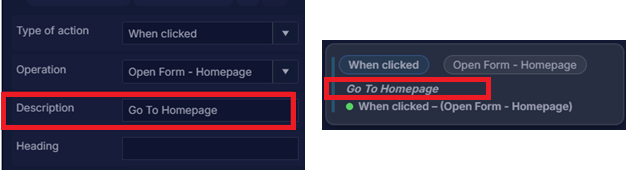
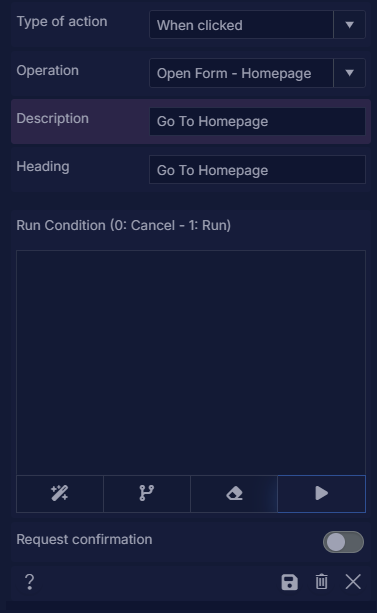
Description
Enter a description of the action. This field serves as a reference for developers to describe the purpose of the action.
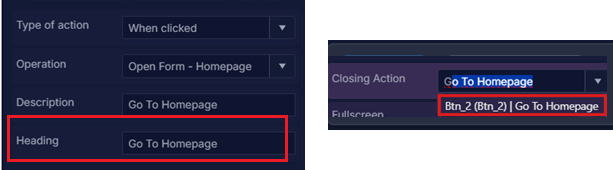
Heading
Specifies the name displayed in the Form Actions list when the action is added to a form.
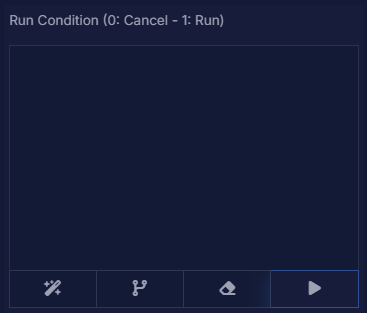
Run Condition
If the SQL query entered in this field returns 0, the action will not be executed.
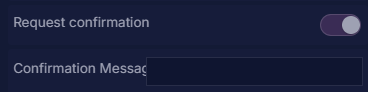
Request Confirmation
Determines whether the user should be asked for confirmation before the action is executed.
When enabled, the Confirmation Message property becomes available, allowing you to define the confirmation message displayed to the user.
Example Usage
You can use the Open Form - Homepage action to provide a button that returns the user to their assigned homepage.
For example:
- Add a button to the form.
- Assign the Open Form - Homepage action to the button's When Clicked event.
- Save and run the form.
When the button is clicked, the Client opens the homepage form assigned to the current user.
The homepage form can be configured from the User Details section in the User Information tab of the Client.

| Note: If no homepage form has been assigned to the current user, the action is ignored and no form is opened. |
 AI Assistant