Record Detail Form (Detail)v5
The Record Detail Form (Detail) action displays the SQL table information of the selected row in a multi-row control on the form.

Record Detail Form (Detail) Action in the Toolbox
Properties
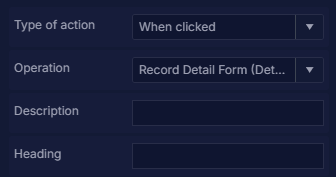
Description: Enter a description for the action.
Heading: Specifies the name displayed in the Actions list when the action is added as a form action.
Run Condition: If the query entered in this field returns 0, the action will not be executed.
Request Confirmation: Select whether confirmation should be requested before the action is executed. When Request Confirmation is enabled, the Confirmation Message property becomes available, allowing you to specify the message displayed in the confirmation dialog.
Example
Assume the form contains a Grid with multiple records.
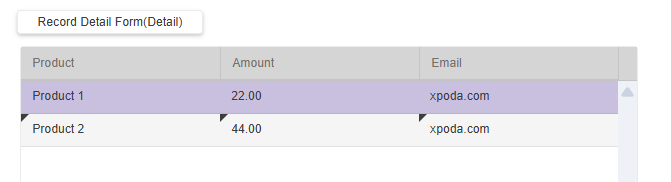
Add a Button to the form and configure it with the When Clicked → Record Detail Form (Detail) action.
After selecting a row in the Grid, click the button.
A detail window opens, displaying the SQL table information for the selected record. The displayed data is retrieved from the detail table associated with the main table.
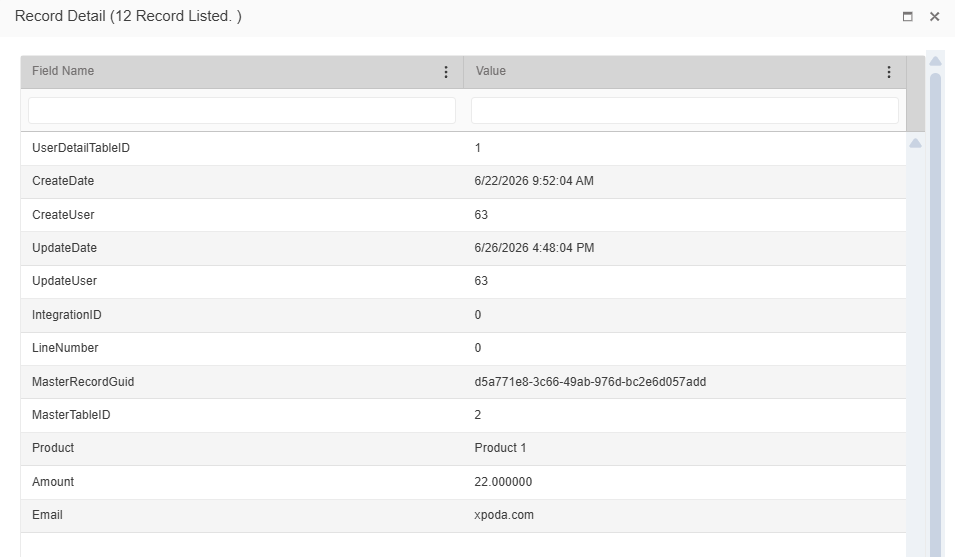
The Client view is shown below.
 AI Assistant