Update Row in Listv5
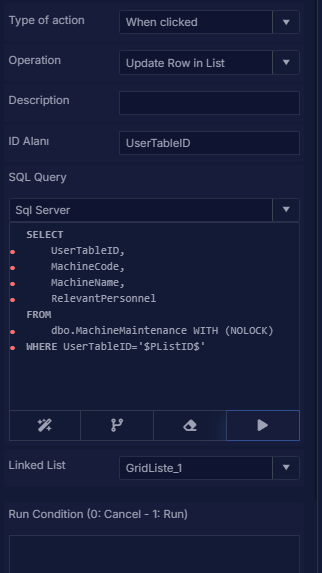
The Update Row in List action refreshes only specific row(s) in a list instead of reloading the entire dataset. This preserves the current state of the list, including filters, sorting, and the expanded/collapsed state of hierarchical controls such as TreeList, while updating only the targeted row(s).
Important The SQL query used as the data source for the target list must be copied exactly into the SQL Query property of the Update Row in List action. In addition, the query must include a WHERE clause that filters the record(s) to be updated by their ID. In other words, the WHERE clause must explicitly specify the ID value(s) of the row(s) that should be refreshed. |
Example
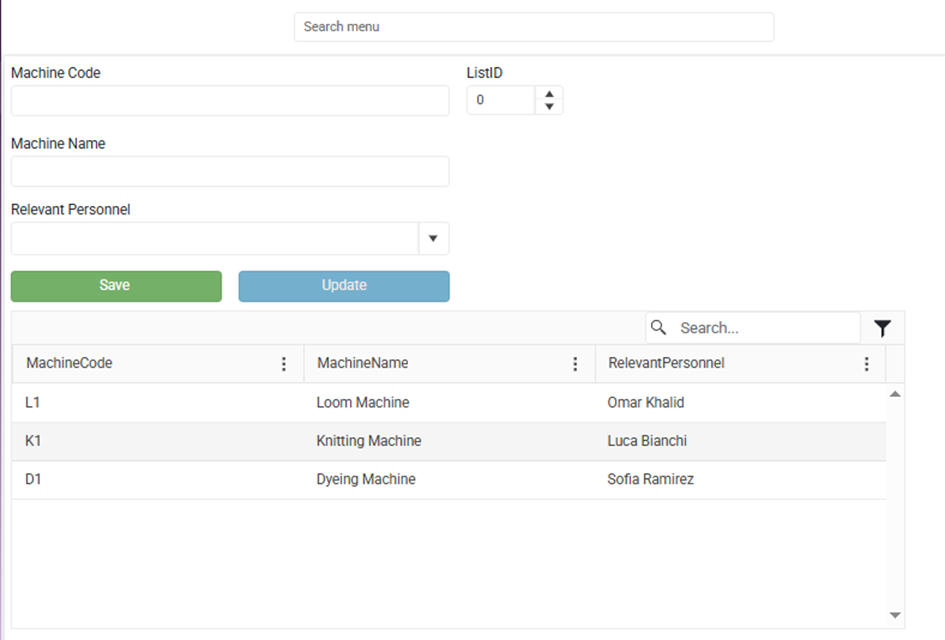
A form is created for entering machine maintenance information. A List control is placed at the bottom of the form to display the entered records.
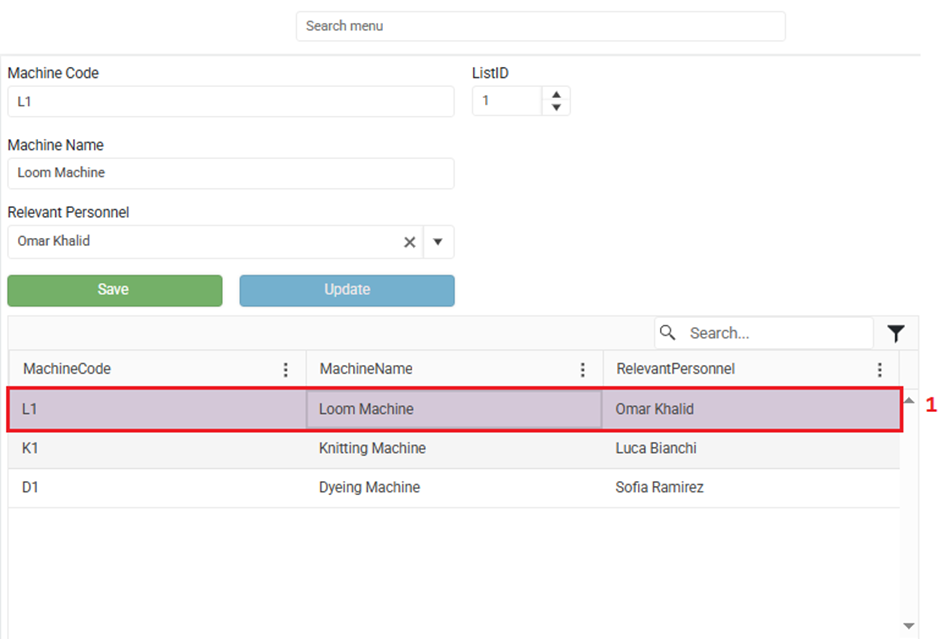
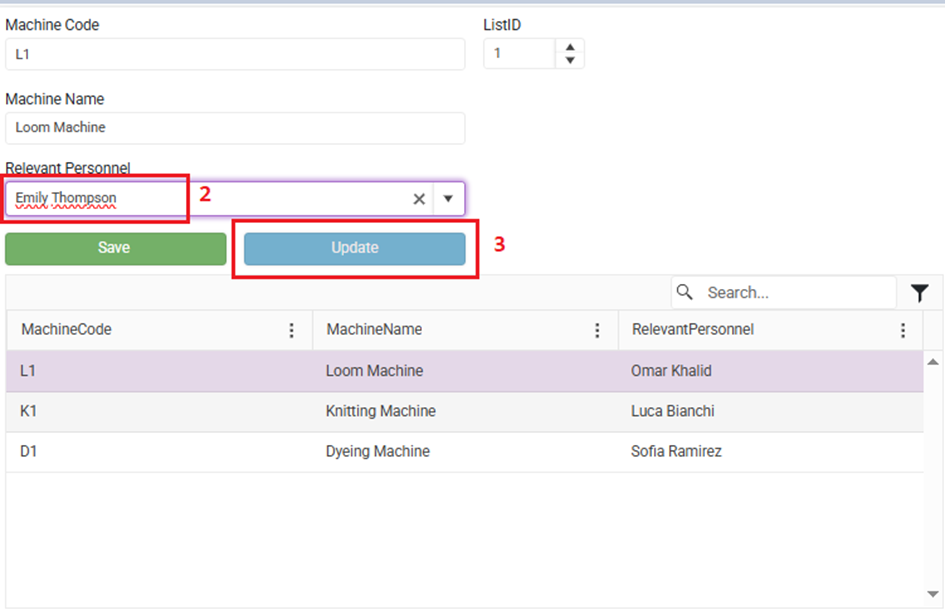
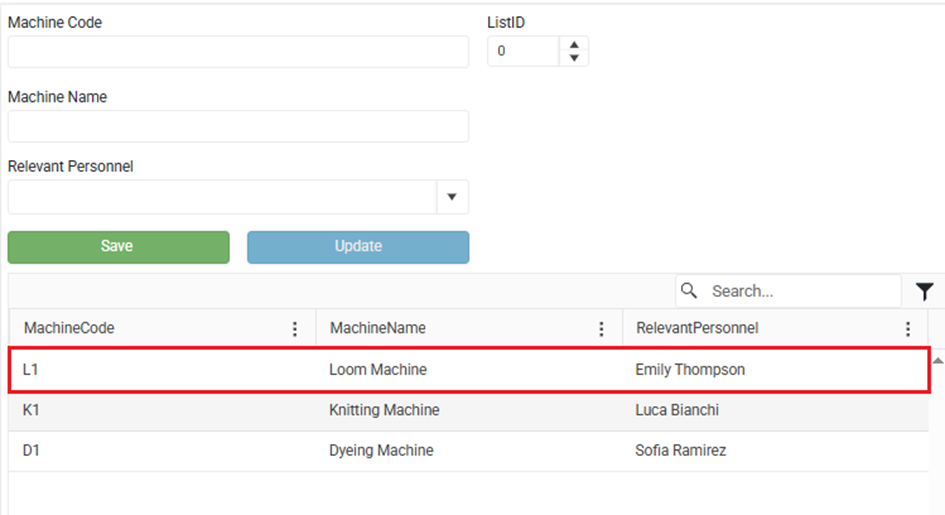
When a user selects a row in the list, the corresponding record is automatically loaded into the form fields for editing. After making the required changes, the user clicks the Update button.
It is not recommended to use the Save action together with the Update Row in List action on the same button. The Save action reloads the entire form and refreshes all rows in the list, which can negatively impact performance, especially when working with large datasets. The purpose of the Update Row in List action is to refresh only the modified row, avoiding the overhead of reloading the entire list. |
The update process is not limited to a button. These actions can be assigned to any form control, depending on your application's requirements. In this example, a button is used for demonstration purposes.
The recommended workflow is as follows:
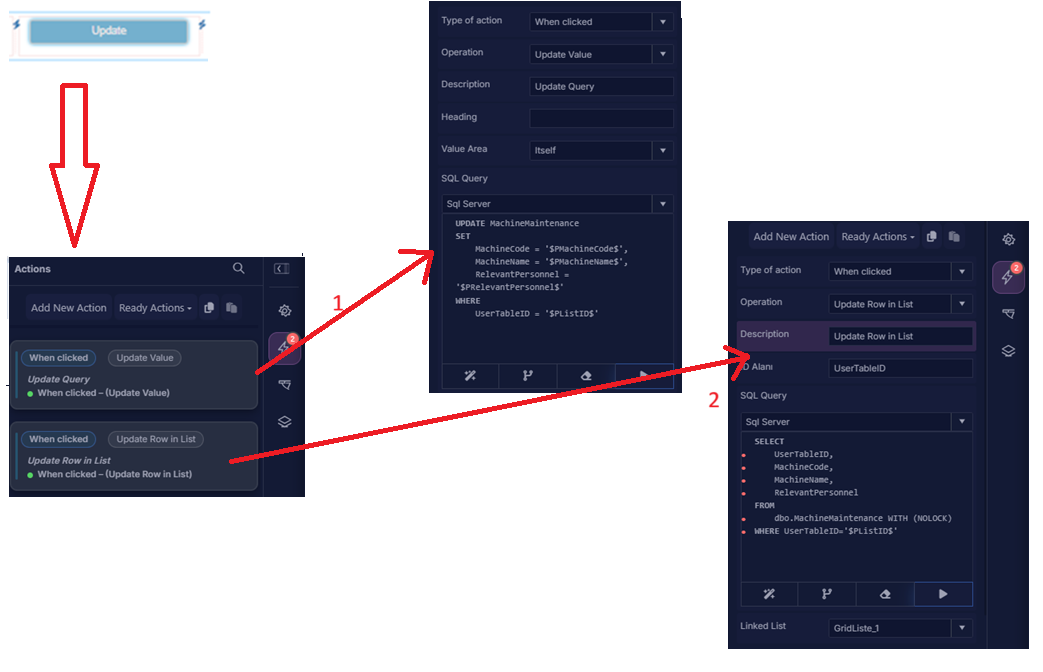
- Execute an Update Value action or an SQL query to update the target record in the database.
- Execute the Update Row in List action to refresh only the modified row in the list.
This approach updates only the affected record instead of reloading the entire list, preserving the user's current view and improving application performance.
 AI Assistant