Xpoda Support (XpodaDurum.exe)v5
Xpoda Support (XpodaDurum.exe) is a Windows tool that monitors an Xpoda v5 installation running on a server (IIS and SQL Server) and diagnoses problems. It is a single exe; run it as administrator on the server where Xpoda is installed. The window title shows "Xpoda Destek -
The tool's screens are in Turkish; the Turkish labels are given below with their English meaning.
Getting started
- Choose the Xpoda installation to monitor in the Kurulum (Installation) list at the top (the tool finds the installations on IIS).
- For the SQL bağlantısı (SQL connection), choose Xpoda's own setting, Windows authentication or a login you enter.
- Open a section from the menu on the left.
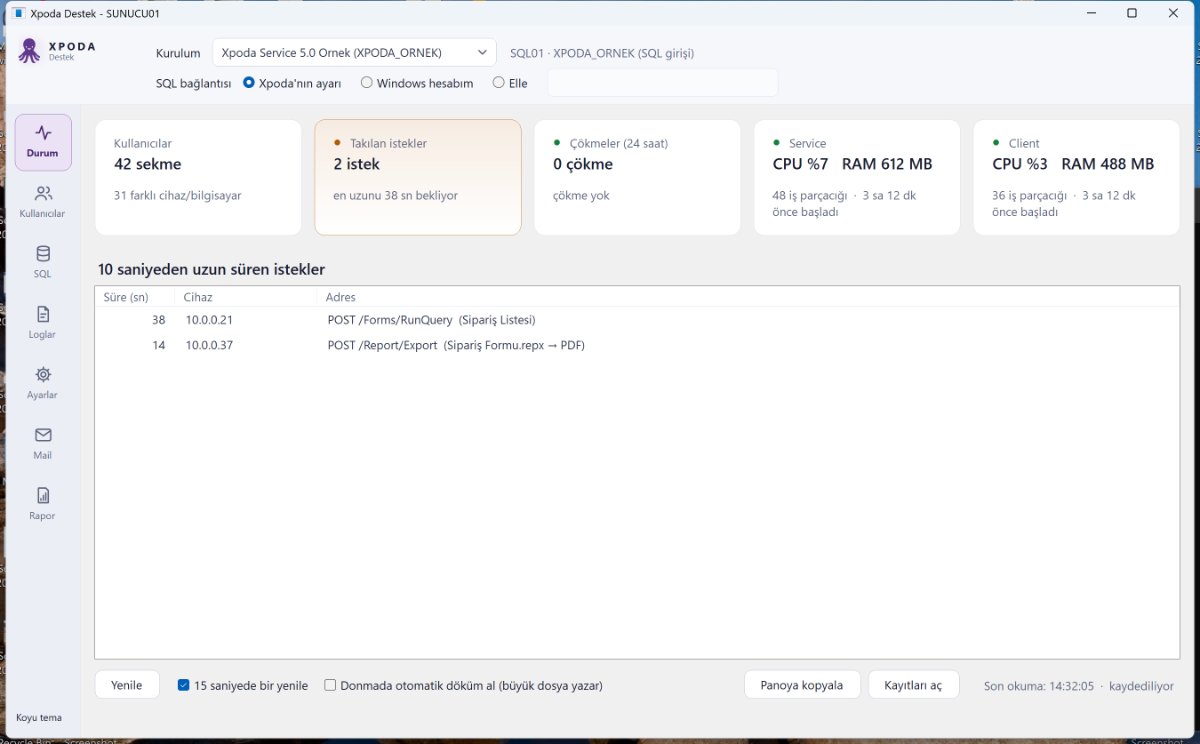
Sections
| Section | What it shows |
| Durum (Status) | Open tabs and devices, requests running longer than 10 seconds, crashes in the last 24 hours, CPU and RAM of the Service and Client pools. Can refresh every 15 seconds. |
| Kullanıcılar (Users) | Who is online, their last action and form, errors they received; HTTP errors and network drops per device. |
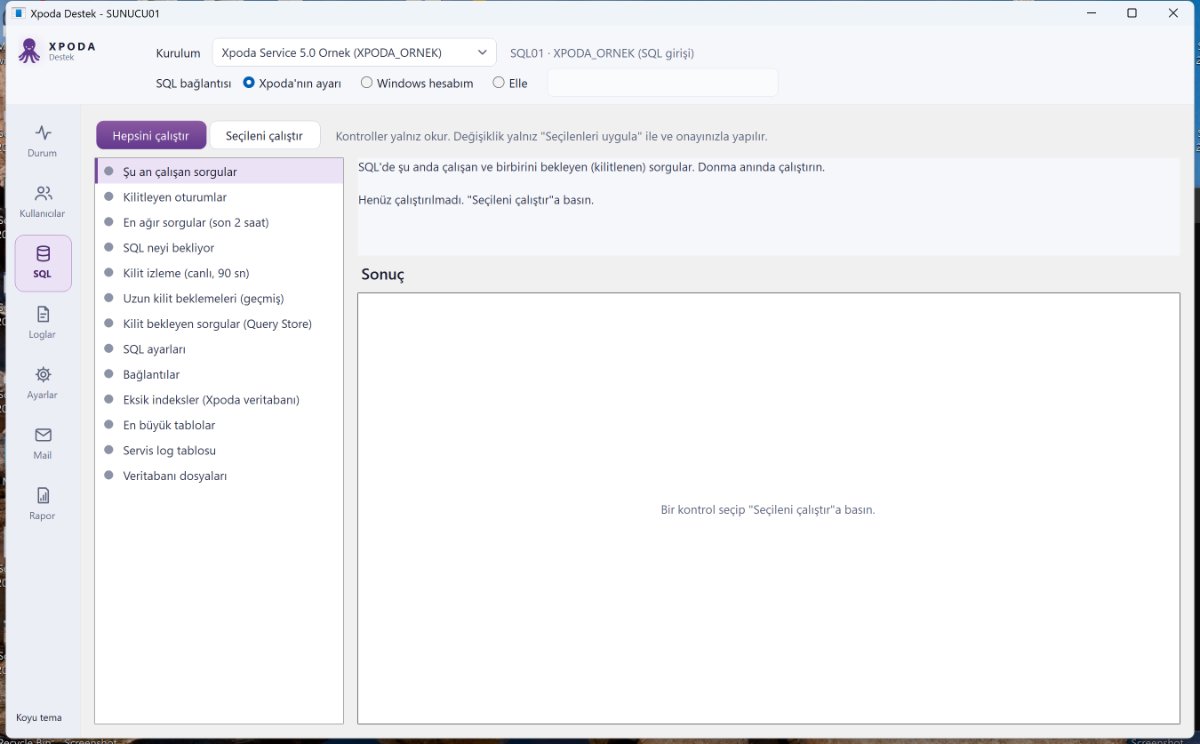
| SQL | Running and blocking queries, lock history, heavy queries, waits, connections, missing indexes. |
| Loglar (Logs) | XPODA_ERROR_LOGS, assistant and mail logs (with error explanations), log files, Windows events. Shows the size of the service log table and offers to delete old records. |
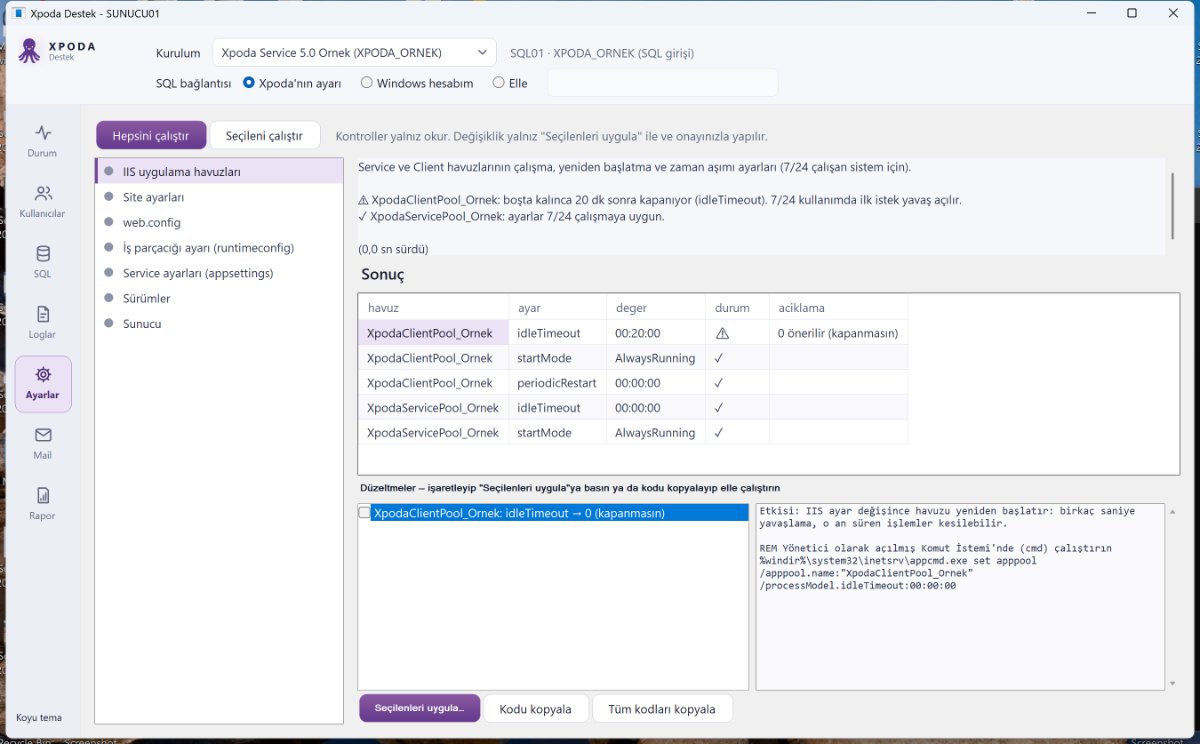
| Ayarlar (Settings) | IIS pool and site settings, web.config, runtimeconfig and Service appsettings; deviations from recommended values. |
| SMTP test with Xpoda's mail settings; step-by-step diagnosis showing where the problem is. | |
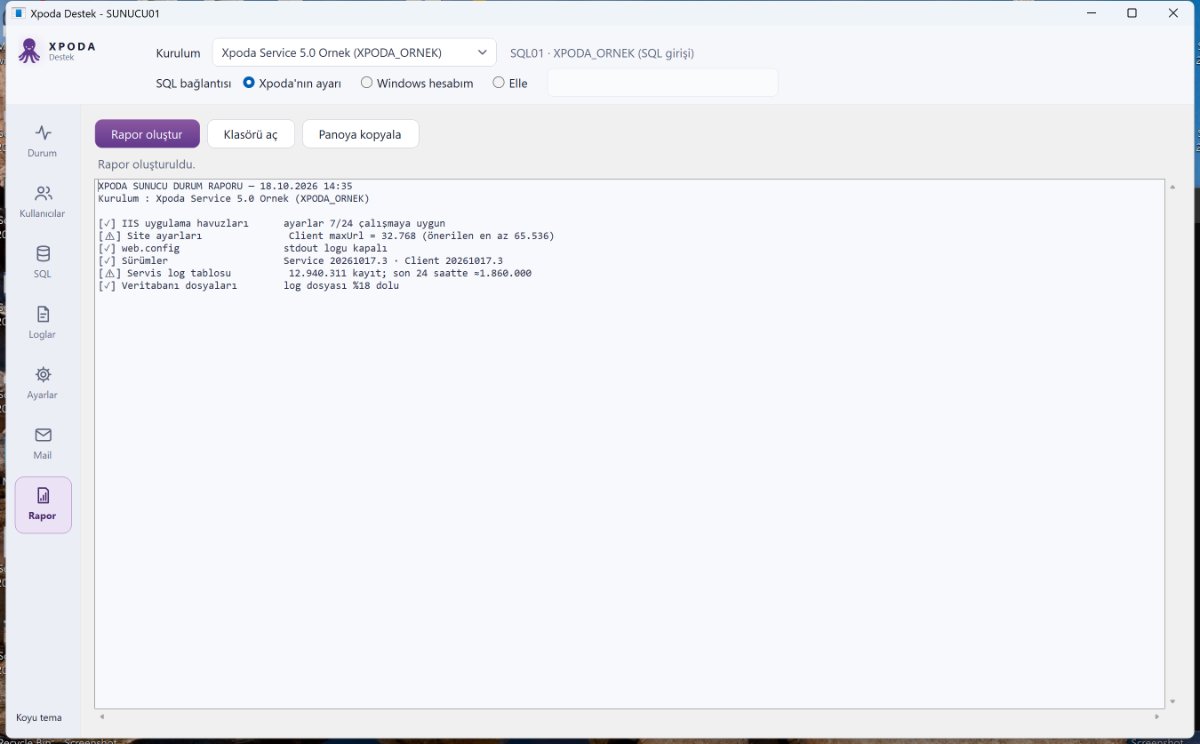
| Rapor (Report) | All checks in one text file. Attach this file to support requests. |
Fixes that change something
Checks only read. When a fix is suggested (for example creating a missing index or changing an IIS setting) nothing changes by itself: you tick the suggestions and confirm with Seçilenleri uygula (Apply selected). Every change is written with its rollback code to C:\XpodaKurulum\izleme\degisiklikler.txt.
Records and report
- Monitoring records:
C:\XpodaKurulum\izleme - Reports:
C:\XpodaKurulum\rapor - Report without a window (for example from a scheduled task):
XpodaDurum.exe /rapor
Xpoda Report Fields (XpodaRapor.exe)
The second tool in the same package. It lists the field bindings in DevExpress print design files (.repx) and changes them in bulk; it leaves the rest of the file untouched and saves a backup as
| Related | For installation, updates and patches, see Xpoda Setup Wizard (XpodaKurulum.exe). |
 AI Assistant