Create Documentv5
This flow control comes ready on the flow screen. It is a standard flow control used when a document is created.

Flow Items view

Design screen view
Warnings
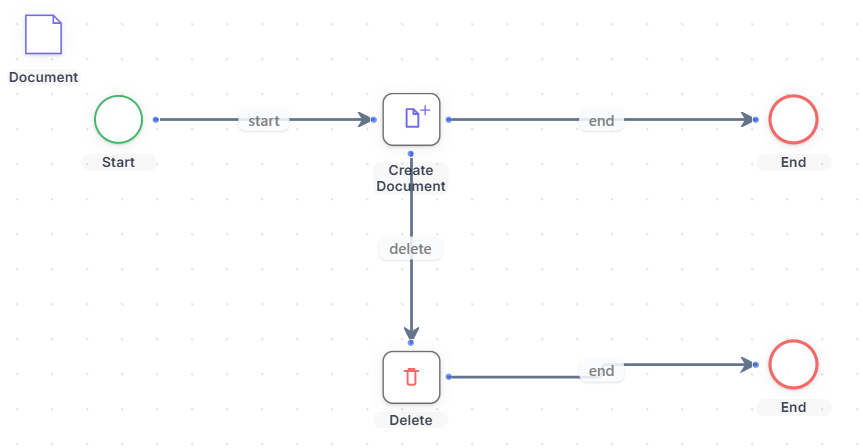
This flow control indicates when the document is created. It specifies that when the relevant form is saved, the flow will start at this step (on the form selected here).
Two connections originate from this step.
One of them is When the operation is completed as the Resource Results. After the Connection, when a document is created, the next step is specified using any flow control. For example, the Find User flow control can be used.
The other is When a document is deleted as the resource result. After this connection, when a document is deleted, the next step is specified as the Delete flow control.
Properties
Text: The text displayed on the screen is entered here.
Example Usage
After the Start control, the Create Document tool is placed on the screen to delete or continue with the document registered in the flow. Any data that is saved or deleted in the form selected in the Document control property is handled at this flow step
 AI Assistant