Calculate Grid Columnsv5
The action allows the specified grid columns to be calculated.

Properties
Description: The description of the action is entered.
Heading: When added as a Form Action, it specifies the name displayed in the action list.
Calculation: Enter the required calculation formula. For example, SUM (FieldName).
Run Condition: If the value returned from the query entered in this field is '0', the related action will not be executed.
Request Confirmation: Select whether a confirmation request should be displayed before running the action. If Request Confirmation is enabled, the Confirmation Message property becomes available, and the message to be displayed during the confirmation step can be entered.
Example Usage
For example;
There is a grid and a figure box on the form. The total amount of the columns needs to be calculated. The figure box contains the Calculate Grid Columns action with the On Value Change event. To calculate the sum of all amounts, enter SUM(Amount) in the Calculate Grid Columns field.
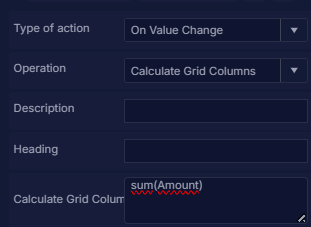
Format values are specified for the Figure Box and the Amount column of the grid. In this example, the format is set as an integer.
When data is entered into the grid, the figure box automatically calculates the amount values through the action.
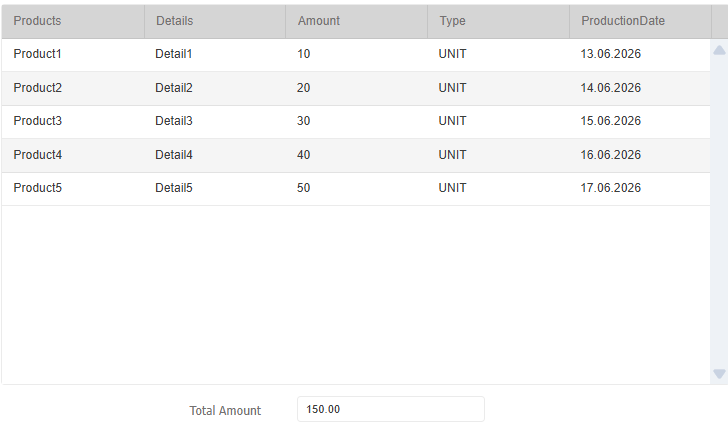
Client view
 AI Assistant