Cannot Be Emptyv5
A type of action that prevents a field added to a form from being left empty.
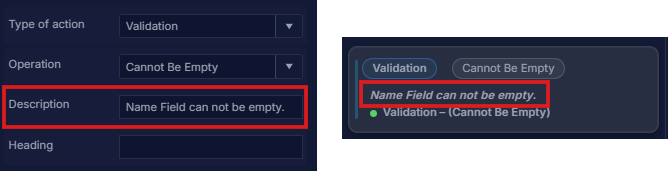
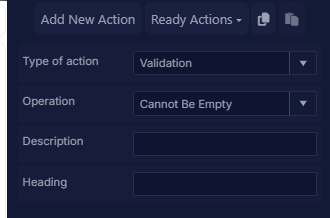
PropertiesDescription: The description of the action is entered.
This description serves as a reference field for application developers to understand which action is used and for what purpose. The value entered here corresponds to the following field in the Actions menu.
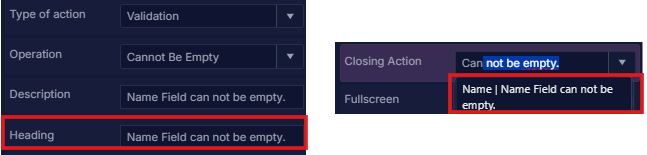
Heading: When added as a Form Action, it specifies the name displayed in the action list.
When the designed Cannot Be Empty action needs to be triggered within different actions, this text represents the name displayed in the selection field.
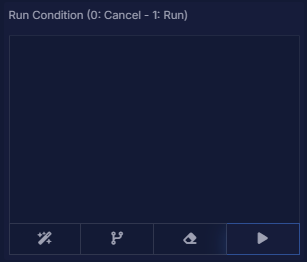
Run Condition: If the value returned from the query entered in this field is '0', the related action will not be executed.
Request Confirmation: Select whether a confirmation request should be displayed before running the action. If Request Confirmation is enabled, the Confirmation Message property becomes available, and the message to be displayed during the confirmation step can be entered.
Example Usage
There is a text box field for a Name field. The text box has a validation process to control the entered value. Before saving the form, the Validation > Cannot Be Empty action is used for validation.
If the text box is empty and no value is entered, a warning message is displayed as shown below.
|




 AI Assistant