Send Meeting Requestv5
The Send Meeting Request action allows you to send meeting invitations directly from XPODA forms. By specifying the recipients, meeting content, and start and end dates, meeting requests can be sent without switching to another platform
Properties:
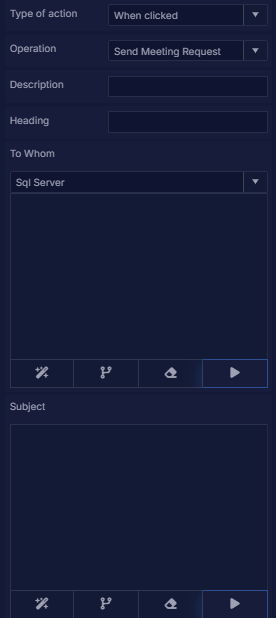
Description: Enter a description for the action.
This description serves as a reference for application developers and helps identify the purpose of the action.
Heading: Specifies the name displayed in the Actions list when the action is added as a form action.
To Whom: Specifies the email address or addresses of the meeting recipients. This field is required.
Examples:
SELECT Email FROM XPODA_CLIENT_USERSor
SELECT 'username@xpoda.com'Subject: Specifies the subject of the meeting invitation email.
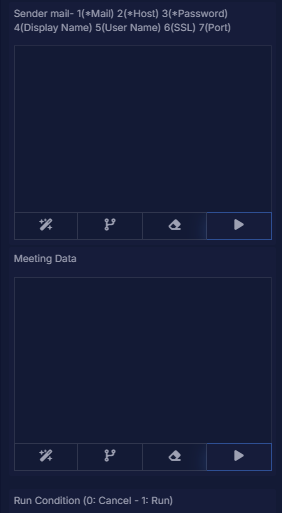
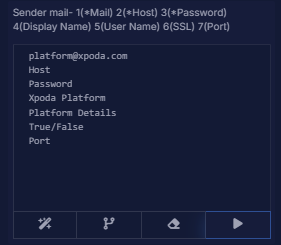
Sender Mail: If the meeting invitation should be sent from an email account other than the one configured in the system, enter the sender's SMTP settings in this field. Each parameter must be entered on a separate line.
If this field is left blank, the email settings defined in the XPODA_GENERAL_SETTINGS table are used automatically.
Meeting Data: Specifies the meeting details. This field is required.
The SQL query must return the following columns. The column order is not important.
Organizer – The name of the meeting organizer. This field may contain an empty string.
Example:
SELECT '' AS Organizer
StartDate – The meeting start date and time. This field cannot be empty and must contain a valid date and time.
EndDate – The meeting end date and time. This field cannot be empty and must contain a valid date and time.
Location – The meeting location. This field may contain an empty string.
Description – A detailed description of the meeting. This field may contain an empty string.
Run Condition: Specifies the condition that must be satisfied before the action is executed.
Example
Suppose you want to send a meeting invitation when a user clicks a button on a form.
Add a button to the form and configure it with the When Clicked → Send Meeting Request action.
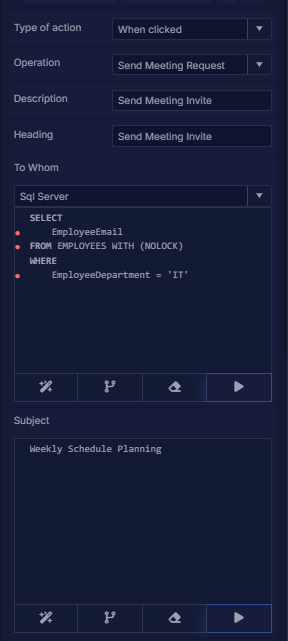
Since the invitation should be sent to all members of the IT department, enter an SQL query in the To Whom field that retrieves the recipients' email addresses from the employee table.
Set the Subject to:
Weekly Schedule Planning
Leave the Sender Mail field empty so that the email settings stored in the XPODA_GENERAL_SETTINGS table are used.
Finally, populate the Meeting Data field with the following SQL query and save the action.
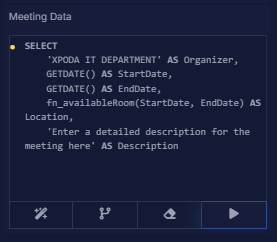
Example SQL:
SELECT
'XPODA IT DEPARTMENT' AS Organizer,
GETDATE() AS StartDate,
GETDATE() AS EndDate,
fn_availableRoom(StartDate, EndDate) AS Location,
'Enter a detailed description for the meeting here' AS Description
Run the application and click the button on the Client screen.
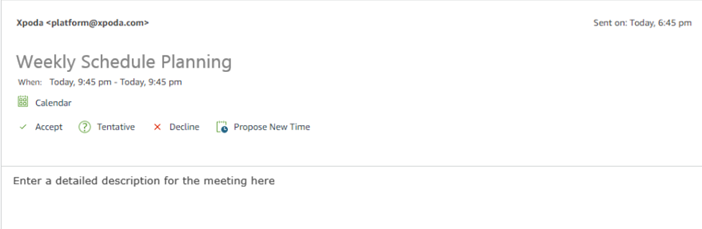
A meeting invitation email is sent to all email addresses returned by the query specified in the To Whom field.
 AI Assistant