Client Entryv5
Client Login
The Client screens are the working environment where forms and applications designed by the application developer are presented to end users.
To access the Client application, users must have a defined username (User) and password (Password).
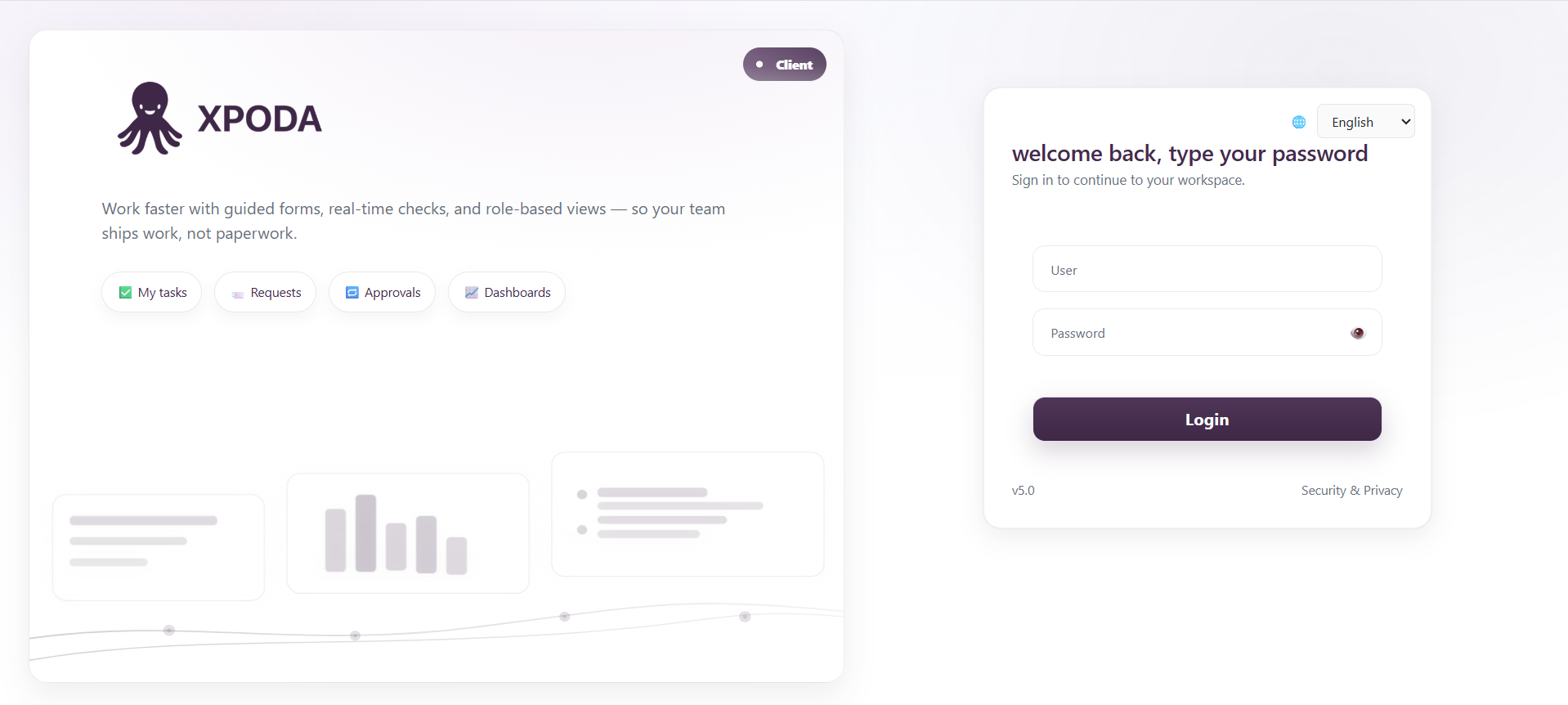
Users can log in to the system by entering their assigned username and password in the relevant fields. Users who are not defined in the system cannot access the application.
User accounts are created and managed through the Administration Panel. Therefore, a user with Admin privileges must perform the required configurations to add new users to the system. If a user needs to be created for the first time, open the development environment and click the Run button.
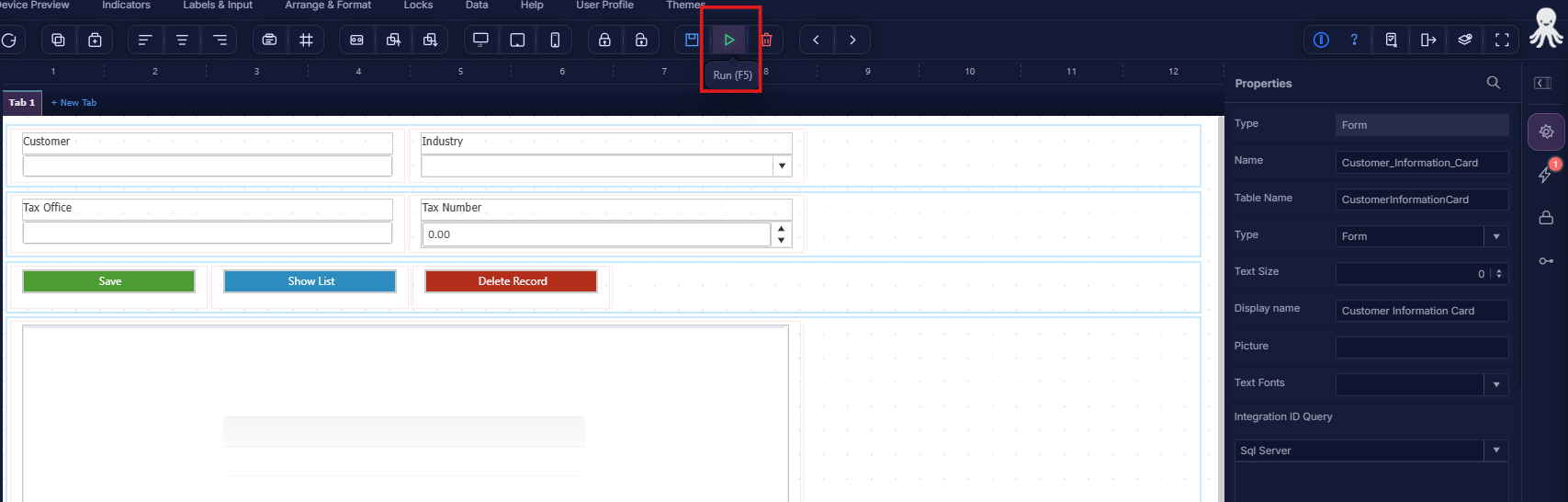
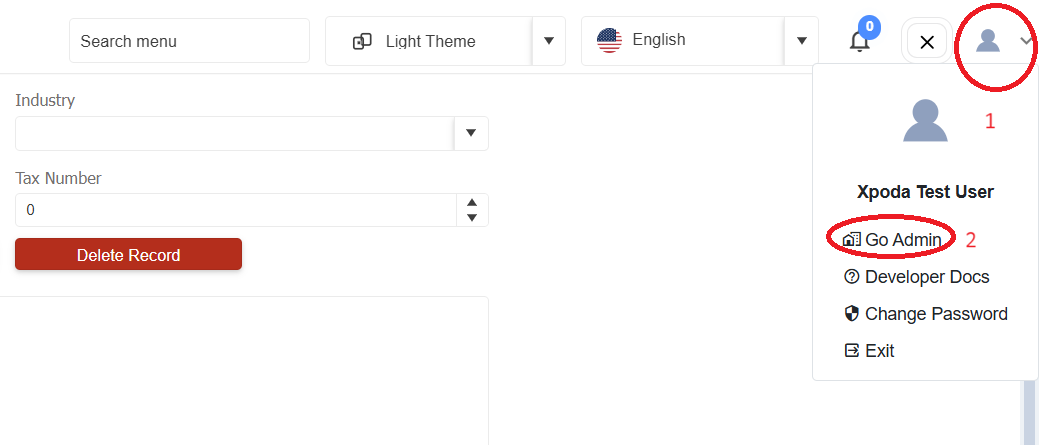
After clicking Run, the Client screen opens directly without displaying the login page. On the opened form screen, click the User Menu located in the upper-right corner (1), then select Go Admin (Administration Panel) (2) from the menu.
. 
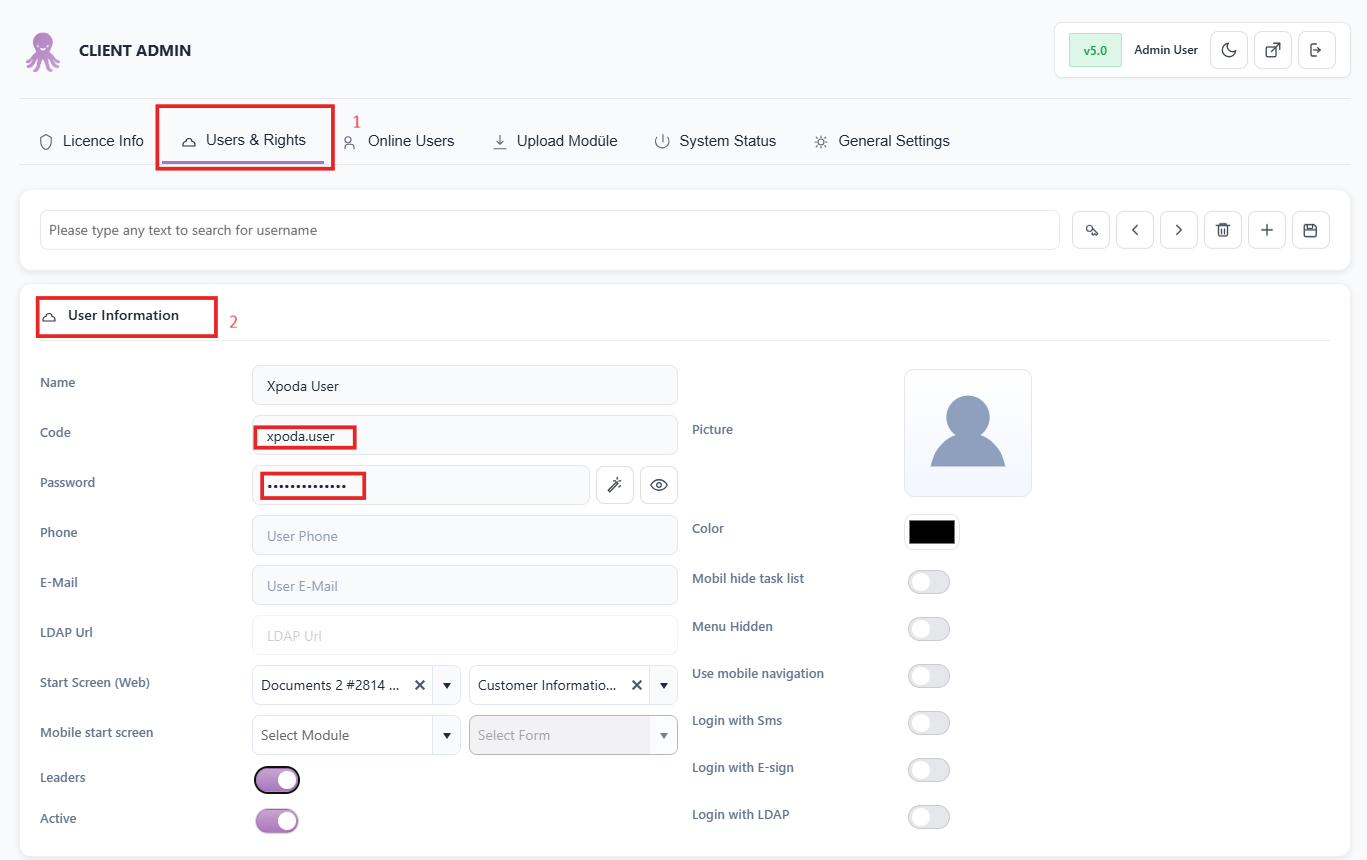
After opening the Administration Panel, navigate to the Users tab.
From the User Information section, you can create new users or edit existing user information. The Code field defined in the User Information section corresponds to the Username field on the Client login screen. After the user creation process is completed, the user can log in to the Client application using the defined username (Code) and password information.
 AI Assistant