Linev5
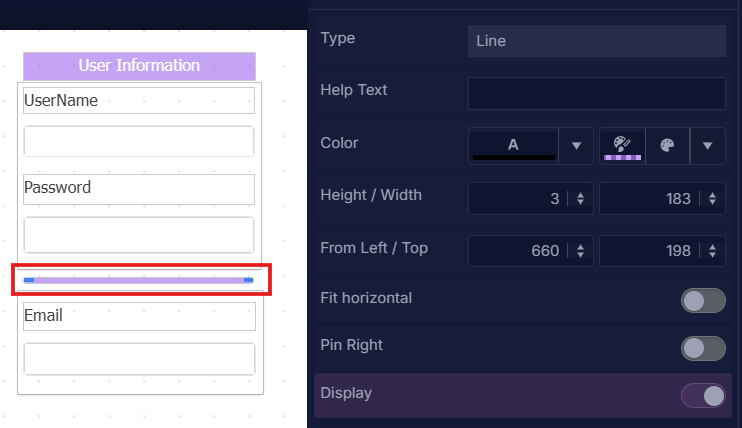
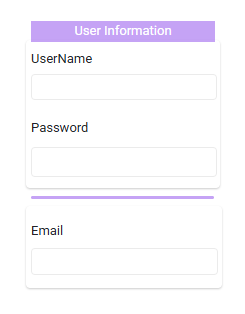
Used to draw horizontal or vertical lines inside a form.
|
Appearance in Toolbox |
Appearance in Free Form |
Appearance in Responsive Form |
Appearance in Flexible Form |
|
|
|
|
|


Compatibility
|
Free Form |
Responsive Form |
Flexible Form |
Mobile |
|
|
|
|
|

Properties of the Line tool |
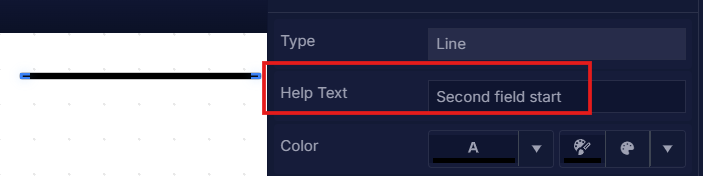
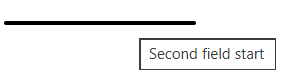
Type (Field Type): Shows the field type of the added form tool. This value cannot be changed. Help Text: Text shown as a description when the mouse is moved over the form tool.
Color: Sets the colour of the form tool.
Height: Sets the height and width of the form tool (the width field has been removed from Responsive Forms). To draw a vertical line, decrease the Width property and increase the Height property. Fit Horizontal: Stretches the form tool horizontally to the full screen width on the user's screen. Pin Right: Pins the form tool to the right. Display: Hides the form tool on the Client screen. |
Actions that can be used in Line
Each form tool added to the form page has different actions. There is no action defined for the Line tool.
 AI Assistant