Ratingv5
This form element is used to collect rating information in a star-based format. The number of selected stars is stored in the database as an INT value.
|
Appearance in Toolbox |
Appearance in Free Form |
Appearance in Responsive Form |
Appearance in Flexible Form |
|
|
|
|
|




Compatibility
Free Form | Responsive Form | Flexible Form | Mobile |
|
|
|
|

Rating Tool Features |
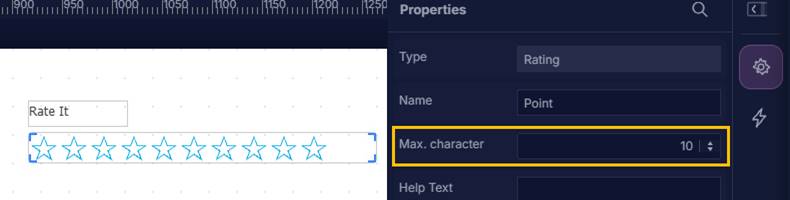
Type: Indicates the field type of the added form control. The value in this field cannot be changed. Name: Specifies the name of the field that will be created in the database. Max. Character: When the Rating tool is added to the form, it comes with 5 stars by default. To increase or decrease the number of stars, the desired value should be entered in this field.
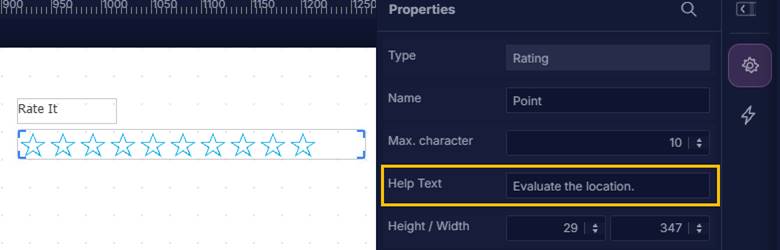
Help Text: The text entered to display a tooltip when hovering over the form control with the mouse.
Height: Adjusts the height of the form control. (The width field has been removed from responsive forms.) From Left/Top: Specifies the offset of the form control from the left or top edge of its container/page. Display: Controls whether the form element is displayed on the client screen. When disabled, the element is hidden from view. Form Only: Ensures that the data entered into the form control is not saved to the SQL database and exists only within the form. Any subsequent changes do not affect the database.
|
Actions Available in the Rating Tool
Each form element added to the form page has its own set of actions. To view the actions defined for the Rating tool, first select the rating field, then open the Actions menu located in the right panel.
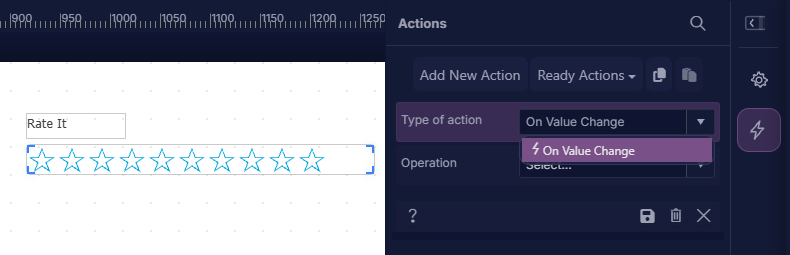
On Value Change: Triggered when the value of the Rating field is changed.
Usage Examples:
When a rating is required using stars, the desired number of stars can be pre-selected by default.
For this example, an action must be defined on the form page at initialization. The action details are as follows:
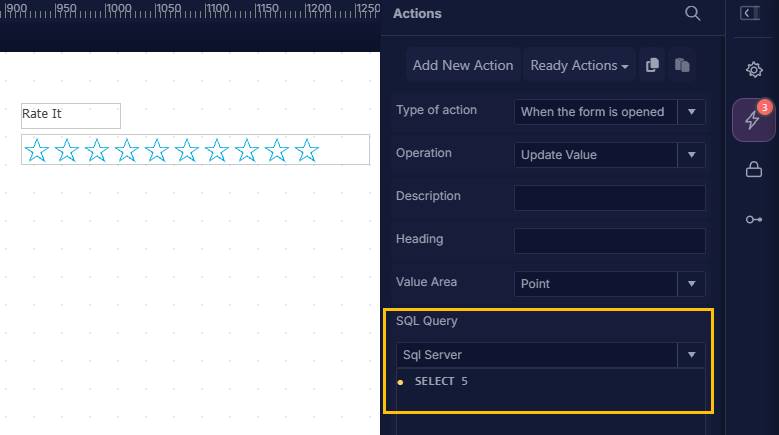
Since it is required that 5 out of 10 stars are selected by default when the form is opened, the query field is set to SELECT 5.
As the Rating tool stores data as an INT type, only INT values should be used in such updates.
 AI Assistant