Create New Data Objectv5
This action creates a data object using the specified SQL query and makes the returned data available to form controls through the Object property.
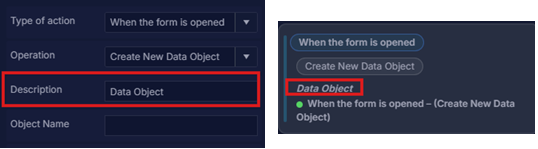
PropertiesDescription: Specifies a description for the action. This description serves as a reference for developers, indicating the purpose of the action. The entered value is displayed in the Actions menu.
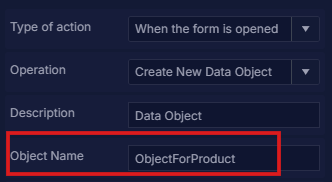
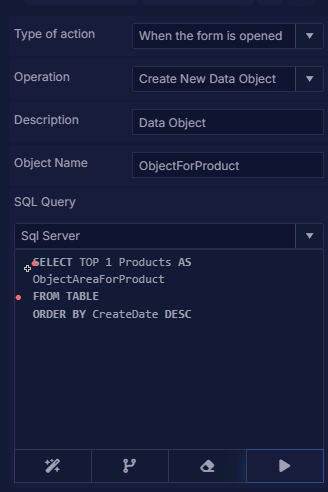
Object Name: Specifies the name of the data object.
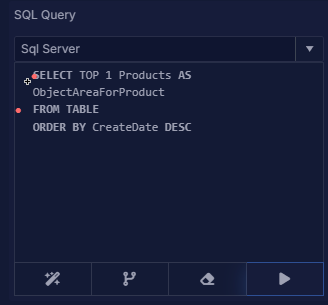
SQL Query: Specifies the SQL query used to populate the data object. Only the first record returned by the query is assigned to the object fields. Therefore, use WHERE or ORDER BY clauses to ensure that the desired record is returned.
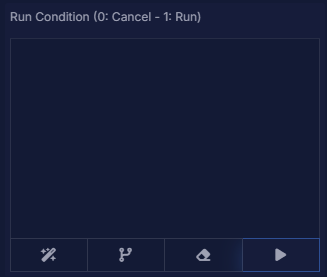
Run Condition: If the query entered in this field returns '0', the action will not be executed.
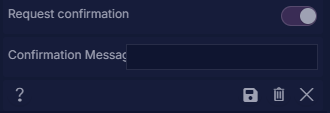
Request Confirmation: Determines whether confirmation is required before executing the action. When enabled, the Confirmation Message property becomes available, allowing you to define the message displayed to the user.
ExampleSuppose you want a Drop Down Box to automatically display the most recently saved value.
Assign the Create New Data Object action to the When Form Is Opened event. Specify an Object Name and define the SQL query that retrieves the required record.
Next, open the properties of the Drop Down Box and set the following:
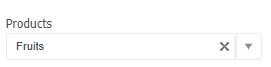
When the form is opened in the Client, the Drop Down Box automatically displays the value returned by the query, such as the most recently saved record.
|


 AI Assistant