Open Document Discount Screenv5
The Open Document Discount Screen action opens the document-level discount window for a grid. Unlike Open Line Discount Screen, which applies a discount only to the selected row, this action applies the specified discount to all rows in the grid.

Properties
Description: Enter a description for the action. This field serves as a reference for developers.
Heading: Specifies the name displayed in the action list when the action is added as a Form Action.
Run Condition: If the SQL query entered in this field returns 0, the action will not execute.
Request Confirmation: Determines whether the user must confirm before the action is executed. When enabled, a confirmation message is displayed.
Example
This action works with a Grid control.
To use this feature, the form must contain:
- A Grid control.
- A grid column that stores the field type.
- A Quantity field formatted as a decimal value.
Add a Button to the form and assign the following action:
- Action Type: When Clicked
- Operation: Open Document Discount Screen
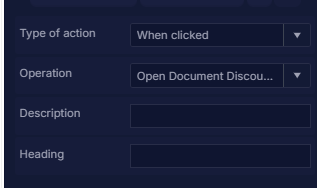
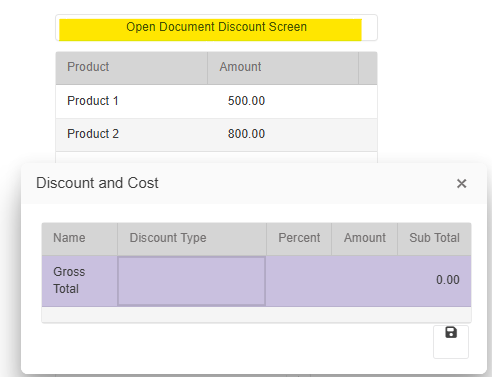
When the user clicks the button, the Document Discount Screen opens.
Enter the desired discount percentage and click Save.
The system automatically recalculates the amounts and applies the specified discount percentage to all rows in the grid.
 AI Assistant