Run Actionv5
The Run Action action allows you to execute an action that has already been configured on another form control.
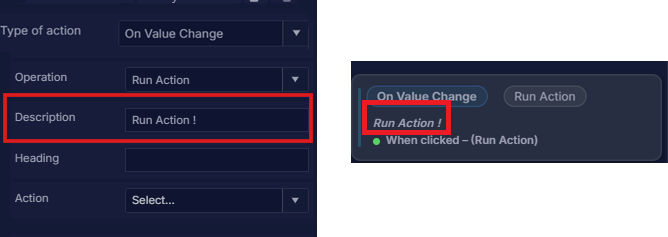
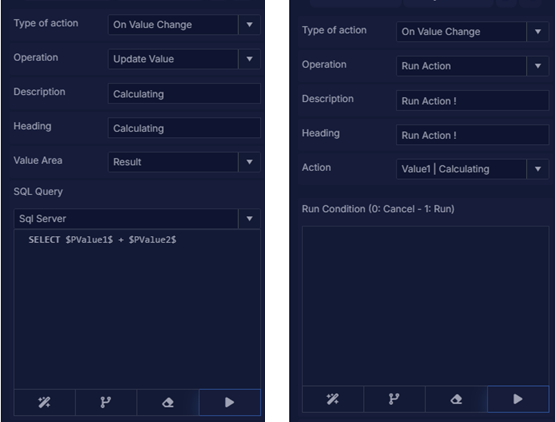
Run Action Action in the Toolbox PropertiesDescription: Enter a description for the action. This description serves as a reference for application developers, helping them identify the purpose of the action and understand why it was used. The value entered here is displayed in the corresponding field in the Actions menu.
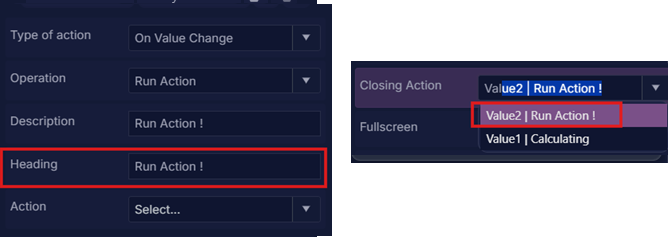
Heading: Specifies the name displayed in the Actions list when the action is added as a form action.When the designed Run Action action is triggered from another action, this value represents the text displayed in the action selection list.
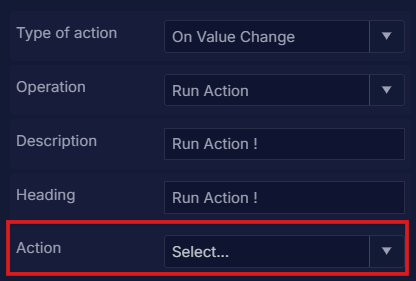
Action: Select one of the actions that has already been configured on a form control. The selected action will be executed when this action runs.
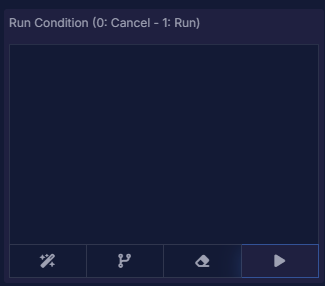
Run Condition: If the query entered in this field returns 0, the action will not be executed.
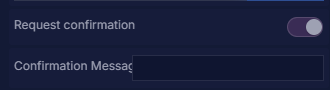
Request Confirmation: Select whether confirmation should be requested before the action is executed. When Request Confirmation is enabled, the Confirmation Message property becomes available, allowing you to specify the message displayed in the confirmation dialog.
ExampleAssume you have a form that performs a calculation. The form contains two numeric fields and one result field. Instead of creating the same On Value Change → Update Value action for both numeric fields, configure the action on the first field only. Then, on the second field, add a Run Action action that executes the existing On Value Change → Update Value action. This way, whenever either numeric value changes, the result field is automatically recalculated without duplicating the same action configuration.
Böylece değerlerimizden herhangi birisi değiştiğinde sonuç alanımız otomatik olarak yeniden hesaplanacak. |

 AI Assistant