Client Menu Right Panelv5
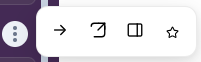
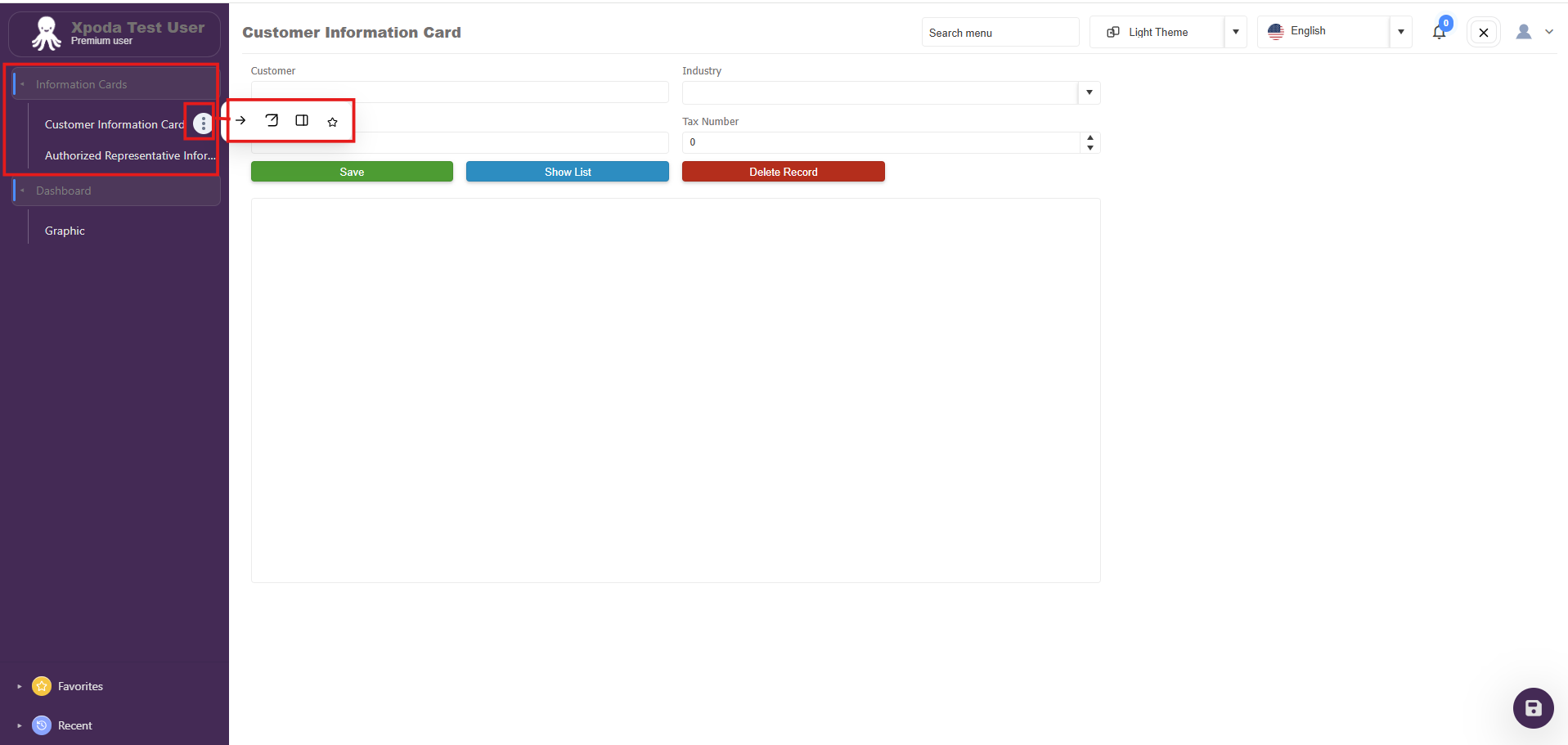
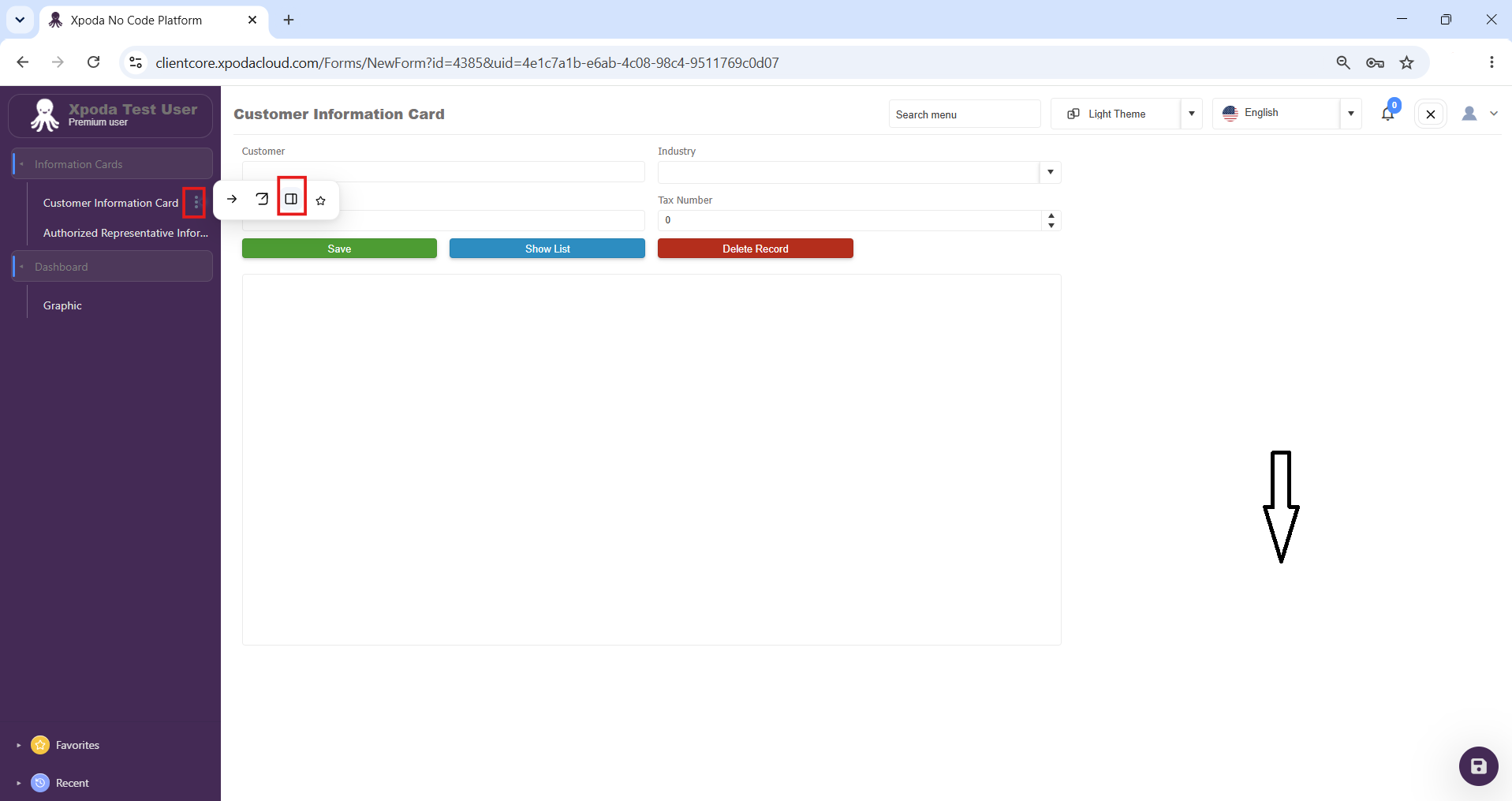
In the Xpoda Client screen, each submenu item in the left navigation menu includes a three-dot (⋮) icon. Clicking this icon displays four menu options, allowing you to open or manage the selected form in different ways.
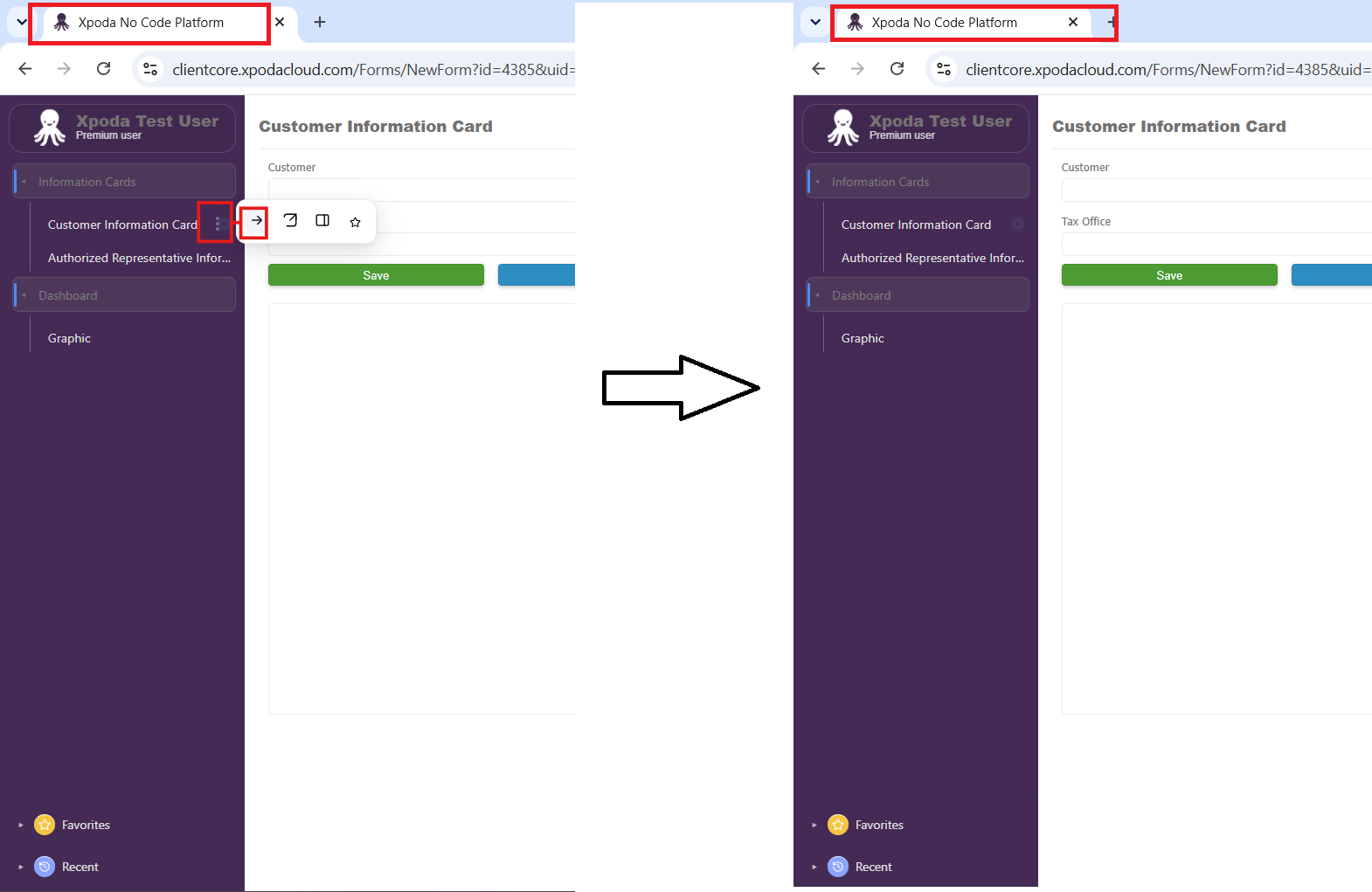
In the Same Tab : Opens the selected form in the current browser tab, replacing the form that is currently displayed.
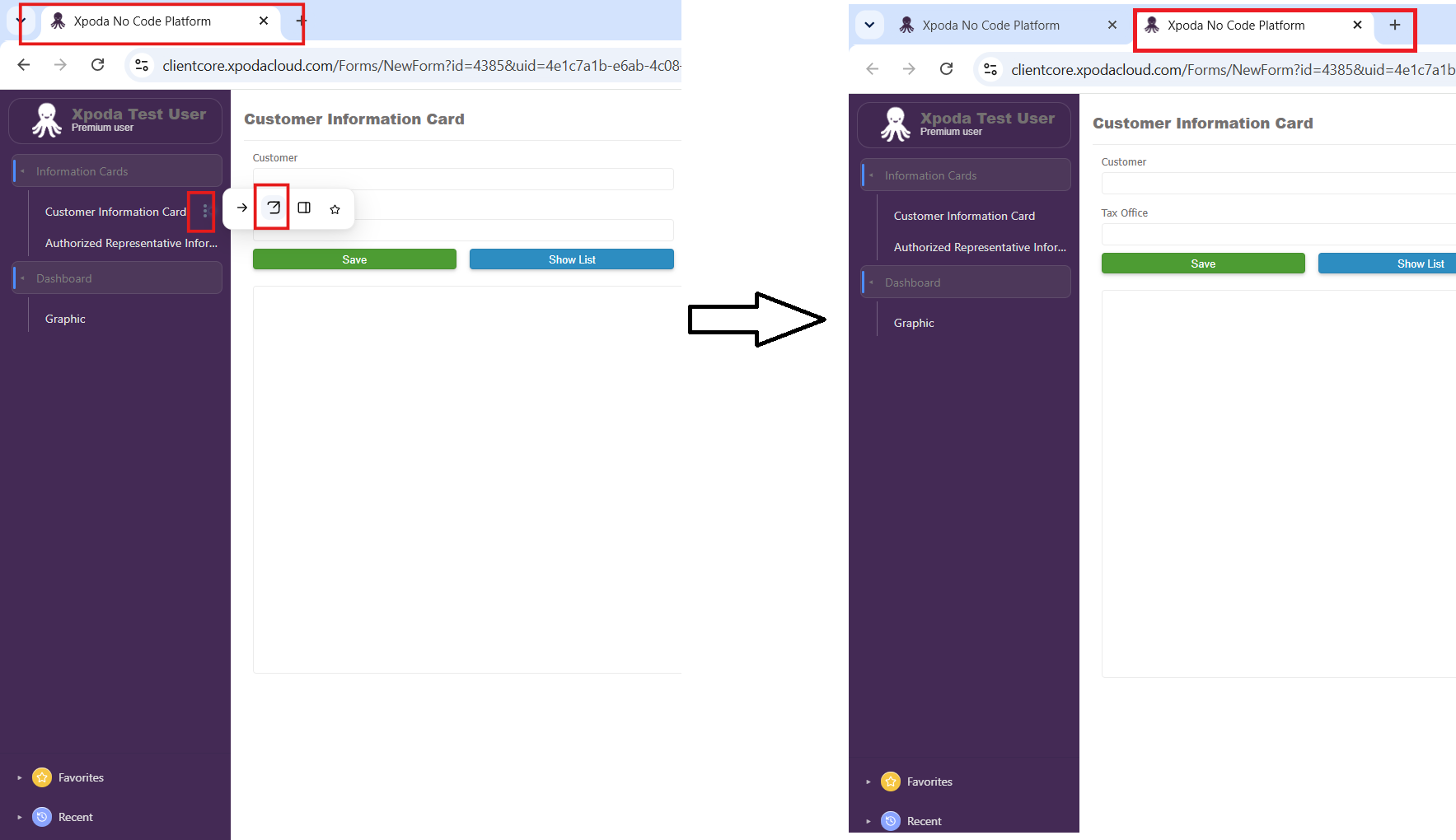
In New Tab : Opens the selected form in a new browser tab, allowing you to keep the current page open and work with multiple forms simultaneously.
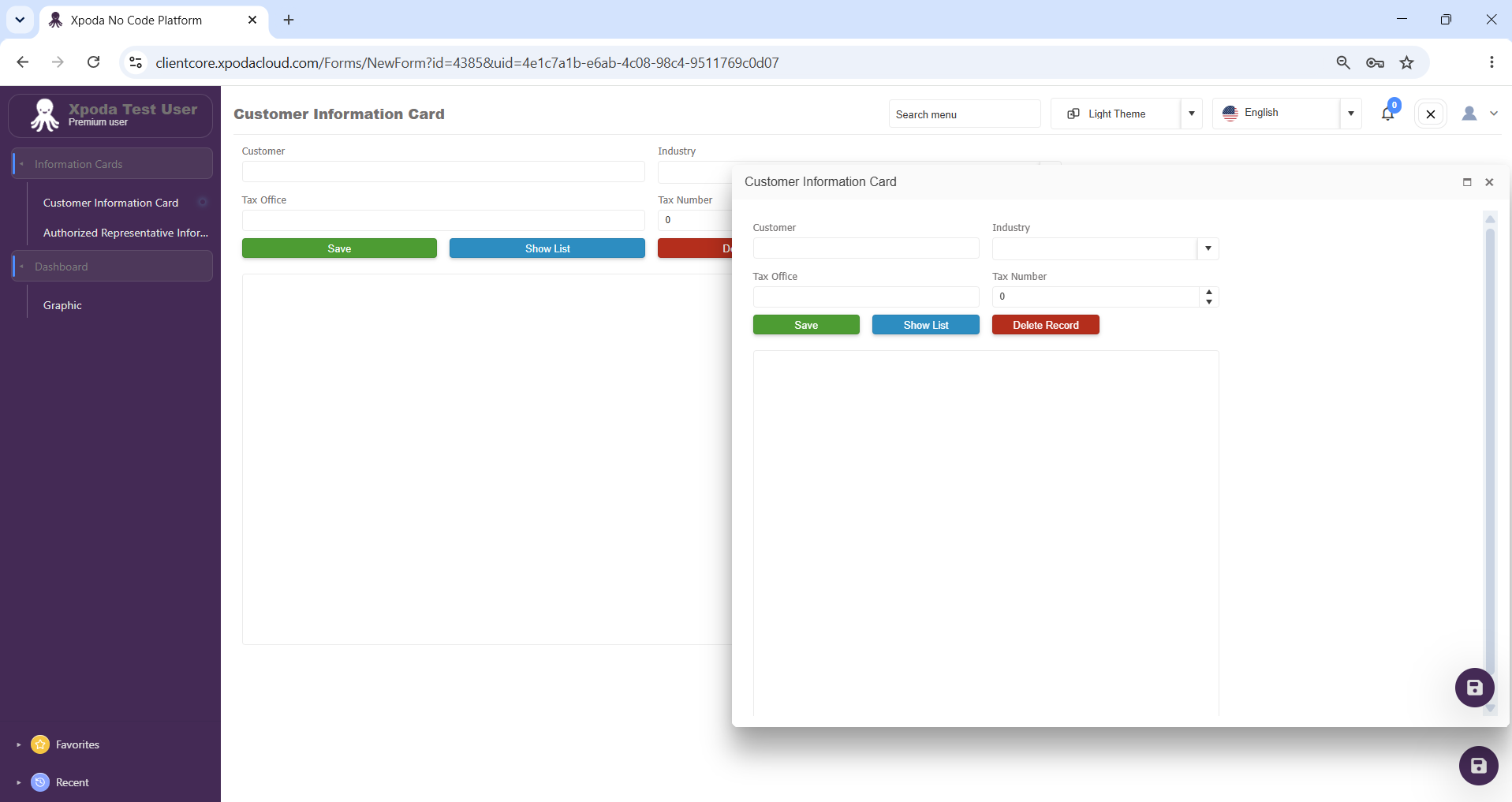
On the Right Panel: Opens the selected form in a sliding panel on the right side of the current page. This allows you to view or edit information without leaving the current screen.
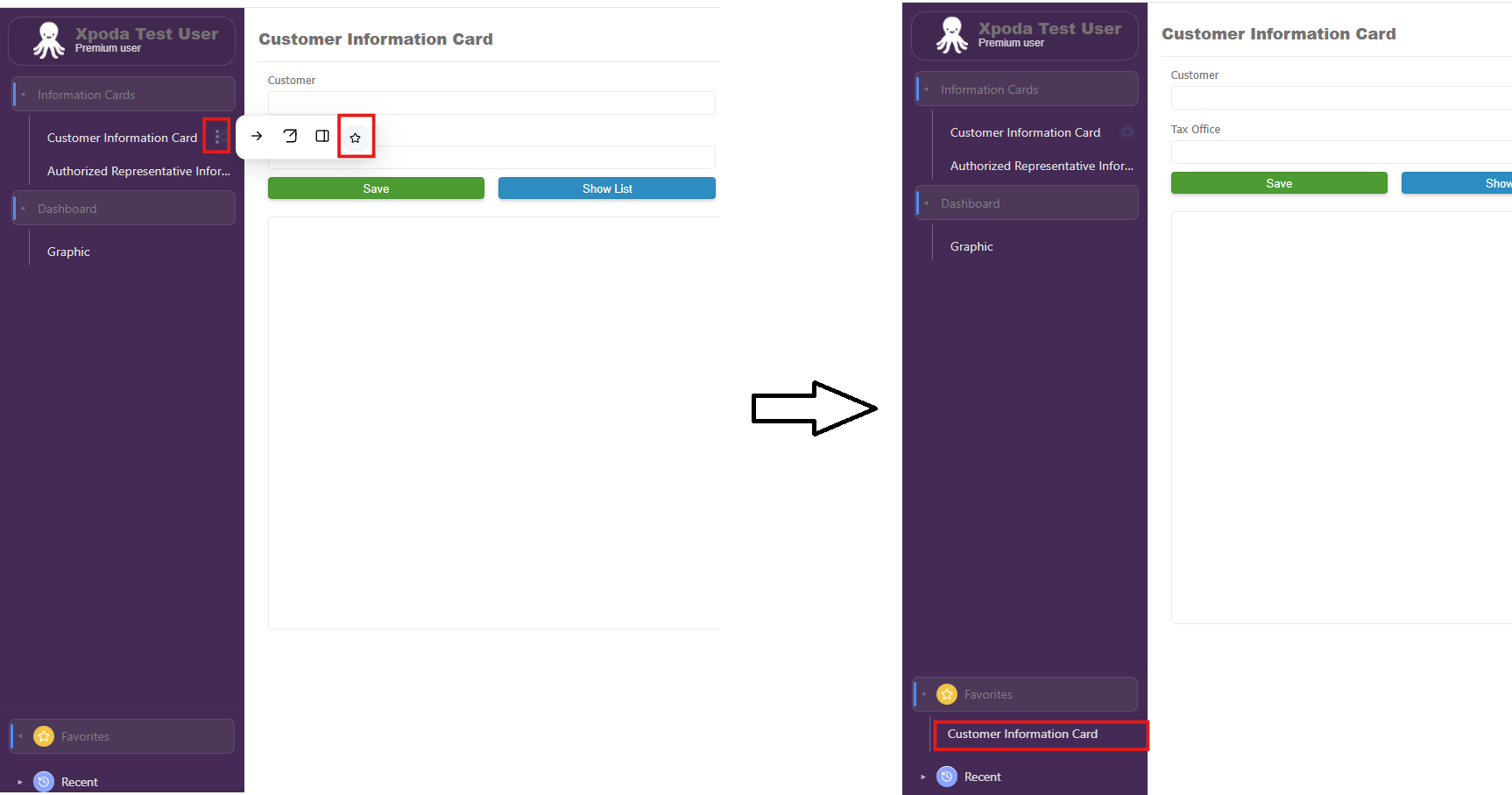
Favorite : Adds the selected form to the Favorites section for quick access. Clicking Favorite again removes the form from the Favorites list.
Examples:
1) The selected form replaces the current form and is displayed in the existing browser tab.
2)The selected form is opened in a separate browser tab while the current tab remains unchanged.
3) The selected form is displayed in a sliding panel on the right side of the current page, allowing you to continue working on the current screen.
 AI Assistant