Integrationv5
This is the control that enables the integration of documents into the flow. The control integrates with the Integration DB for the document.

Flow Items view

Design screen view
Notes
This control transfers data to the Integration DB. This control only works if the name of the integration database exists in the project.
This control has a Connection at the end. The Resource Results of the Connection must be selected as No Requirement.
Properties
Text: The text displayed on the screen is entered here.
Example Usage
This example is created as a result of a condition. For example, this condition:
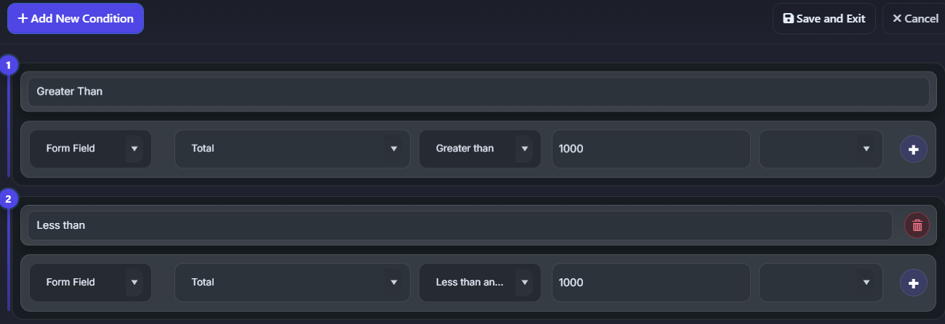
Then, the Resource Results of the Decision control is selected as Less than for the Integration control and as Greater than for the Find User control.
The other Integration control is connected to the Send to Approval control. The Resource Results of this control is selected as When approved for the Integration control.
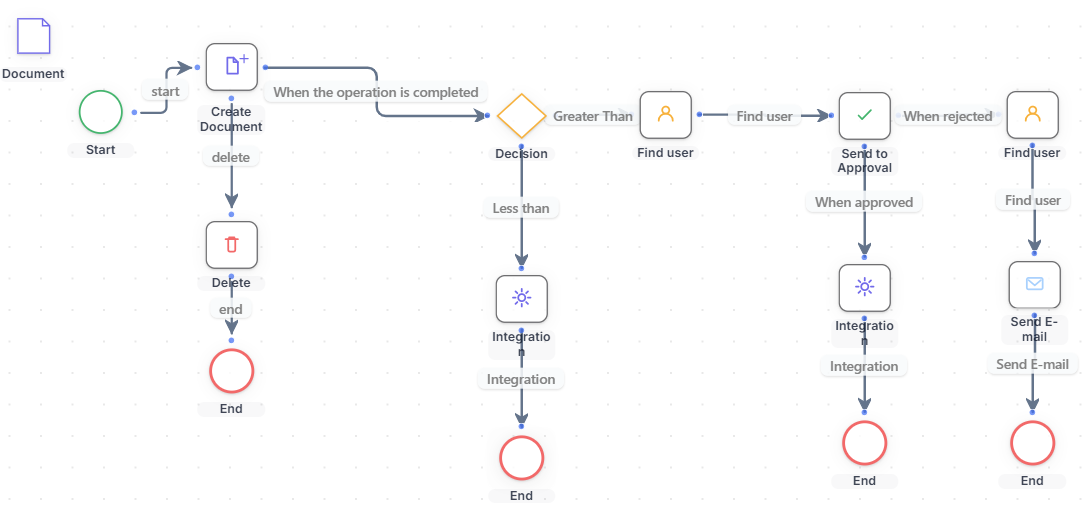
Flow screen
 AI Assistant