Send Smsv5
This control enables sending SMS messages within the flow.

Flow Items view

Design screen view
Notes
This control has one Connection at the end. The Resource Results of the connection must be selected as No Requirement.
Properties
Text: The text displayed on the screen is entered here.
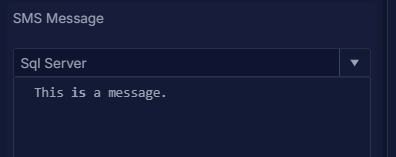
SMS Message: Enter the content of the SMS message to be sent.
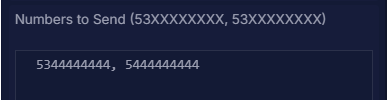
Numbers to Send: Enter the recipient phone numbers as 10-digit numbers, separated by commas.
Example Usage
In this example, the flow contains both Send to Approval and Send SMS controls. According to the example, when the document is approved, an SMS is sent to the phone numbers specified in the control. This control enables an SMS message to be sent to a phone.
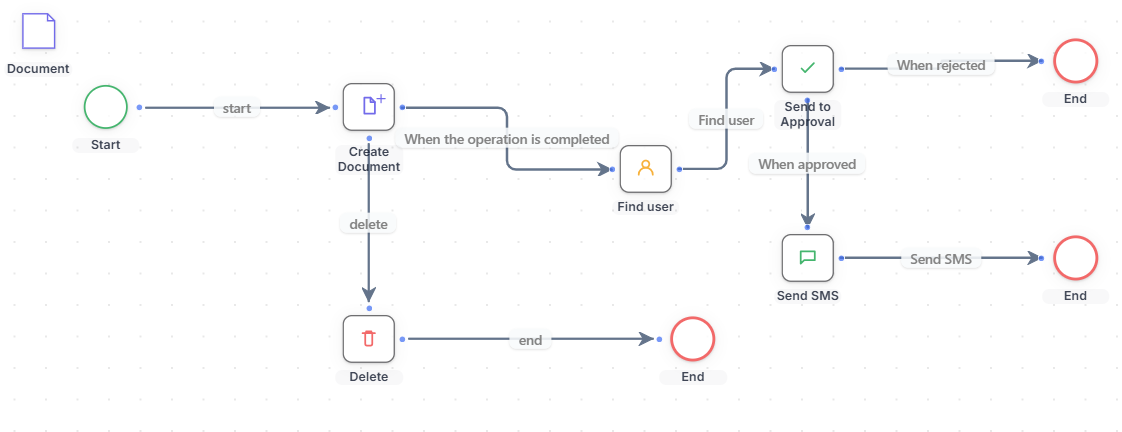
Flow screen
The SMS Message is entered as shown below.
Phone numbers are added to the Numbers to Send field as shown below.
 AI Assistant